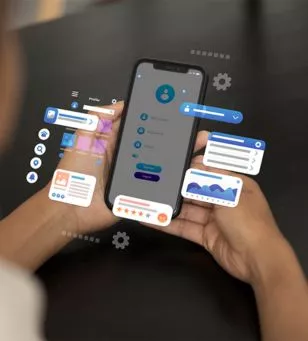
Web Mobile Conversion: How to Turn a Web App Into an iOS & Android App Without Rebuilding Your Backend
Turning an existing web application into an iOS and Android app does not necessarily mean rebuilding the entire technology stack. When your web app already has a working backend and APIs, you can create mobile clients that reuse those existing services while adapting the frontend experience for smartphones and app platforms.
21st July 2026 | by sarah alexandra | Senior EDITOR
Instead, the existing backend can remain the central source of application logic and data while new mobile interfaces communicate with it through the APIs or services already exposed by the system. The exact approach depends on how the web application has been built and what the mobile apps need to do.
A web application typically combines a browser-based frontend with backend services responsible for authentication, business logic, data processing, and database operations. When converting that application into mobile apps, the goal is not automatically to recreate every backend component.
Audit your existing architecture
Identify the frontend, backend services, APIs, authentication system, database, third-party integrations, and other dependencies before beginning the conversion.
Reuse your backend services
If the existing backend exposes suitable APIs, mobile applications can consume those services instead of duplicating the underlying business logic.
Choose the right mobile approach
Decide whether your application is better suited to a web-based wrapper, a cross-platform application, or platform-specific native development.
Adapt the experience
A mobile app should account for smaller screens, touch interactions, navigation patterns, permissions, and device capabilities rather than simply reproducing a desktop website.
The Core Layers of Web-to-Mobile Conversion
Existing backend
Your current backend can continue handling business rules, authentication, data processing, and database operations when its APIs are suitable for mobile clients.
Mobile frontend
The new iOS and Android experiences provide the interface users interact with on their devices. This layer can be designed specifically for mobile rather than forcing the existing desktop interface into a smaller screen.
API connection
APIs provide the communication layer between the mobile application and backend services. The mobile client sends requests and receives the data required to display and update application content.
Connect Mobile Apps to Your Existing Backend
The most important architectural principle is to separate the mobile interface from the backend services wherever possible. If your web application already has a well-defined API layer, an iOS or Android client can communicate with those services without requiring the business logic to be rewritten inside the mobile application.
Android officially supports embedding web content through WebView, including web applications hosted online, while Apple provides WKWebView for displaying web content inside iOS applications. These approaches can allow developers to reuse web technology, although they are not automatically suitable for every application or app-store submission.
Document the endpoints, authentication requirements, request formats, responses, and error handling already used by the web application.
02
Keep mobile-specific interface logic separate from backend business logic so changes to the mobile experience do not require duplicating server-side functionality.
03
Make sure login, sessions, tokens, account recovery, and other authentication flows work correctly within the mobile environment.
04
Confirm that the existing APIs can support mobile clients, including different screen states, network conditions, authentication flows, and error scenarios.
Building and Converting the Mobile Application
Start with an Existing Architecture Audit
Before writing mobile code, establish exactly what can be reused and what needs to change. A conversion project becomes easier to manage when the existing application is treated as a collection of services rather than one large block of code.
Identify which backend services are already exposed through APIs.
Review authentication and authorisation flows.
Check whether APIs return data in formats suitable for mobile clients.
Identify web features that depend heavily on browser-specific behaviour.
List any device capabilities the mobile version will need.
Turn one clear idea into a complete application with AI.
Choose Between Web-Based and Mobile-Specific Approaches
There is no single conversion method that works for every web application. A web-based approach can reuse significant amounts of existing web technology, while a mobile-specific or cross-platform approach can provide more control over the application interface and device integration.
Use an embedded web experience when existing web content can be reused effectively.
Consider a cross-platform mobile frontend when a shared mobile interface is needed.
Choose native development when deeper platform-specific capabilities or integration are required.
Keep the existing backend when its APIs and architecture support the chosen mobile approach.
Converting a web application into mobile apps does not have to mean rebuilding the backend from scratch. When the existing architecture has a suitable API layer, the backend can continue providing core services while new mobile clients handle the interface and device-specific experience. The key is to treat conversion as an architectural exercise rather than simply placing a website inside an app. Analyse what can be reused, determine what mobile users need, choose the appropriate technology, and validate the result on both platforms.
Start with the Backend
Before rebuilding anything, understand what your existing backend already provides. A stable API and clearly separated business logic can make it easier to introduce mobile clients without duplicating server-side functionality.
Design for Mobile
A mobile application should be designed around touch interaction, smaller screens, mobile navigation, network conditions, and the capabilities of the target platform. Reusing backend services does not mean the web interface itself needs to remain unchanged.
Validate Before Launch
Test the complete flow from the mobile interface through the API and backend to the database and back again. Then review platform-specific requirements, security, permissions, performance, and store guidelines before releasing the application.